
The AiPLAY App
Android · iOS · APK
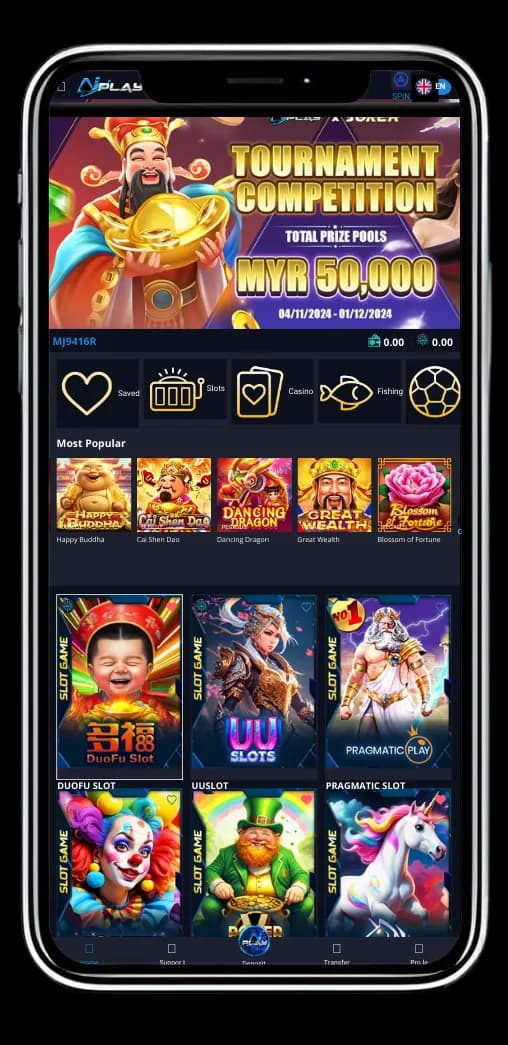
Take AiPLAY with you. Slots, live tables, and sports betting are one tap away. Download the app and play anytime.
What the AiPLAY Download Is
Play anywhere
The app puts your usual games on the phone you already carry.
Clear layout
Finding a game and starting a round should feel simple.
Live notices
New games, member offers, and draw results arrive as they happen.

Why Keep AiPLAY on the Phone
Fast banking
Deposits and withdrawals move quickly without compromising security.
Easy transfers
A QR scan or a direct member transfer is enough.
Games in one app
Slots and live dealers share one app — not a handful of shortcuts.
Strong protection
Personal and financial details are protected with measures we take seriously.
What the App Adds
Active community
Connect with other members to share wins and tips.
Timely offers
Regular promotions add value to every session.
Play on your schedule
At home, on the go, or late at night — the games are a tap away.
Helpful support
Support is ready when you need help with your AiPLAY account.
How to Install AiPLAY
On iOS
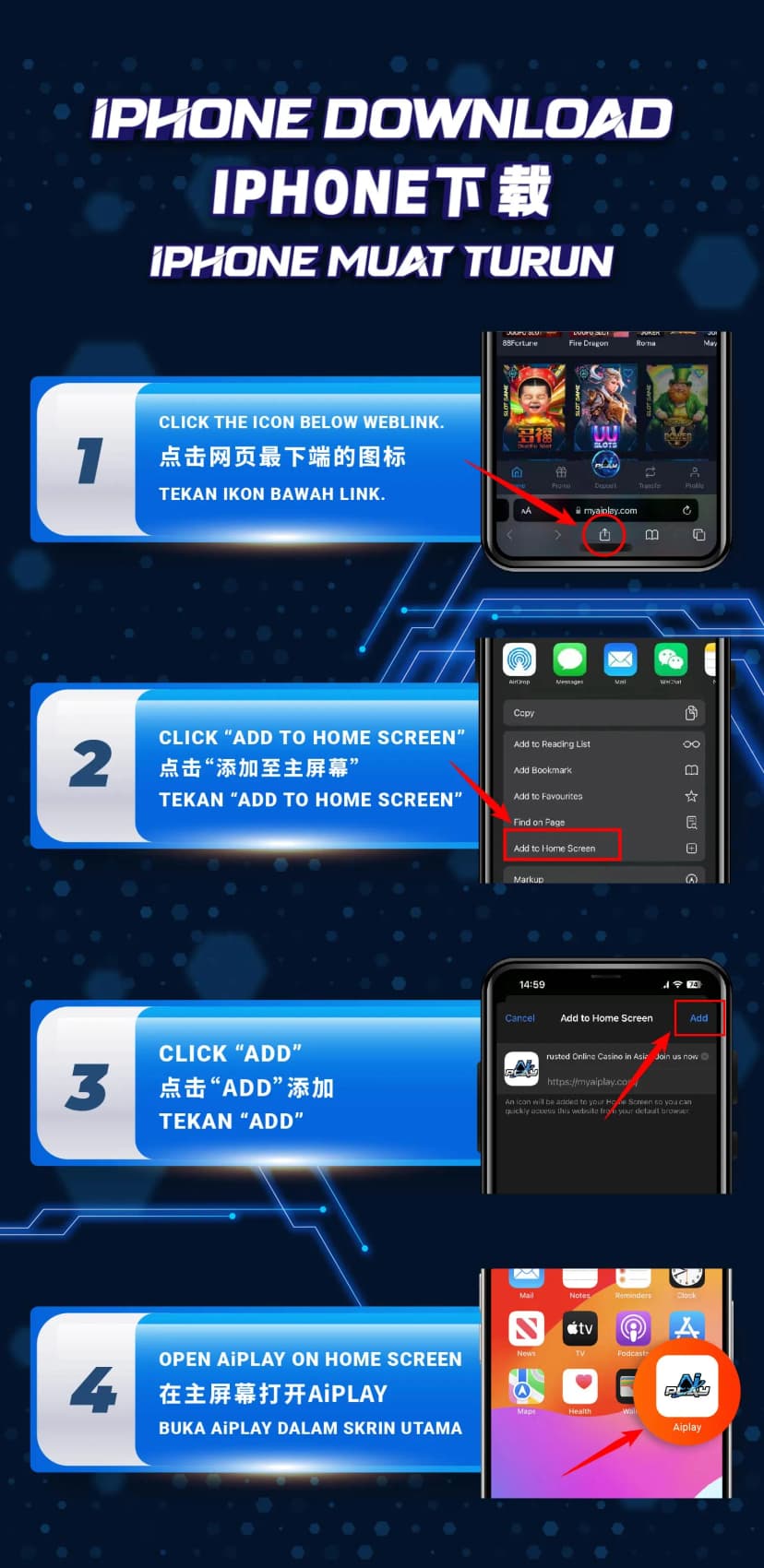
Step 1: Tap the icon
Find the download mark on your device and begin.
Step 2: Add to Home Screen
When prompted, choose Add to Home Screen.
Step 3: Confirm Add
Tap Add so the AiPLAY icon remains.
Step 4: Open AiPLAY
Launch AiPLAY from the home screen.

On Android
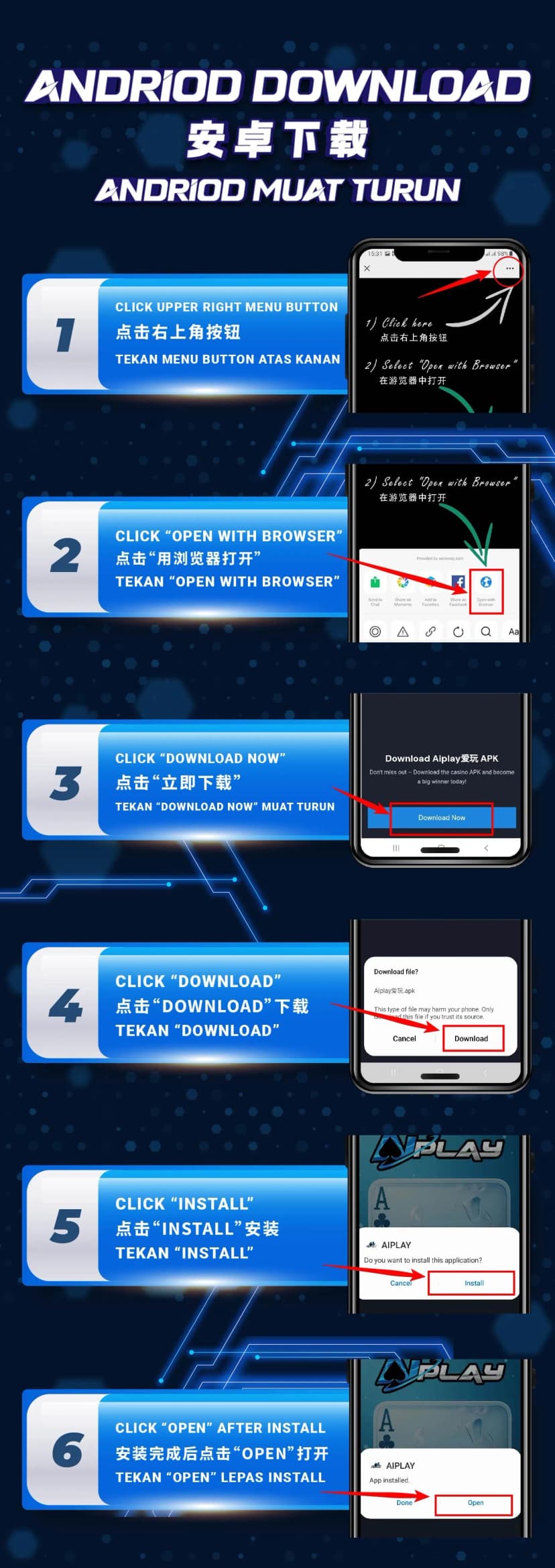
Step 1: Open the menu
Tap the control in the upper-right corner.
Step 2: Open with Browser
Let your preferred browser handle the link.
Step 3: Download Now
Tap Download Now to fetch the file.
Step 4: Confirm
Choose Download when asked.
Step 5: Install
When the file is ready, tap Install.
Step 6: Open
Open AiPLAY and start playing.